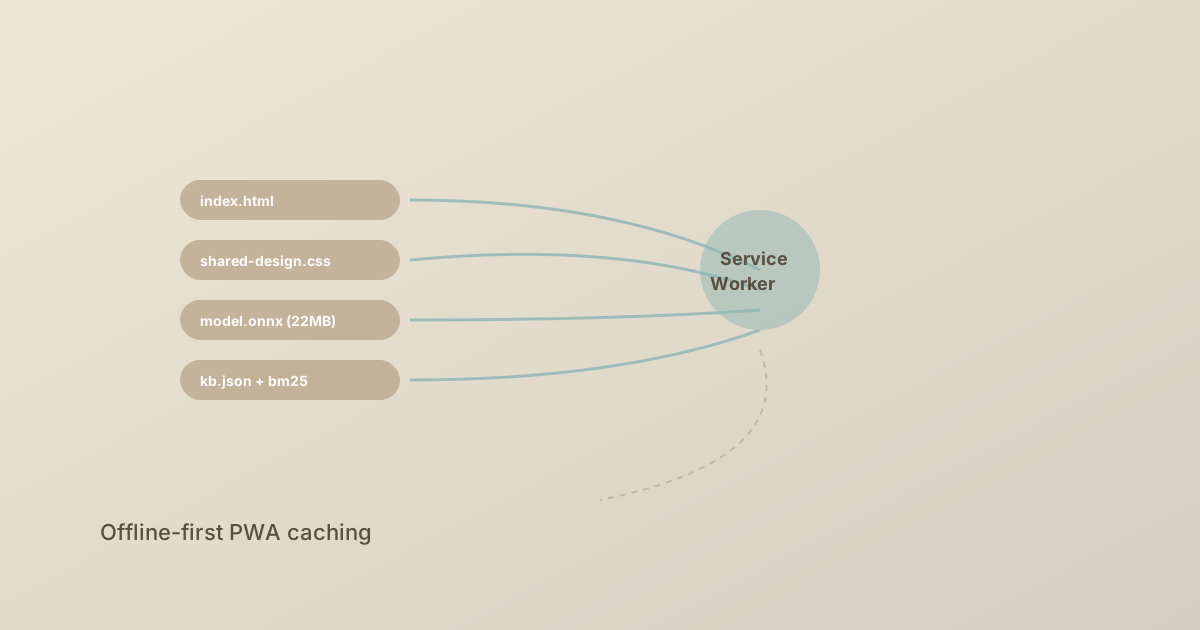
The most surprising thing about a browser-based AI chatbot is that it can work without the internet. ReLU.chat is a Progressive Web App: after the first load, the service worker holds every asset required for inference. The user can close the tab, lose their connection, fly on a plane, and still have a working chatbot.
What a Service Worker Does
A service worker is a JavaScript file the browser runs in the background, separate from the page. It intercepts fetch requests and can return responses from a cache instead of the network. Once installed, it survives page reloads and tab closes.
The lifecycle has three phases:
- Install — runs once, downloads and caches critical assets
- Activate — cleans up old caches, takes control of the page
- Fetch — runs on every request, decides network vs cache
For an AI chatbot, the install step is the entire point. We pre-cache everything needed for inference.
What We Cache
ReLU.chat's install handler caches:
- HTML shell (
/,/blog/, chat pages) — ~50 KB - CSS (
/assets/shared-design.css, blog CSS) — ~25 KB - JavaScript (
/core/*.js,/chat/*.js,/data/bots/*.js) — ~150 KB - Models (
/assets/models/mini-lm-onnx-quantized.onnx) — ~22 MB - Knowledge base (
/data/bots/*/kb.json,/data/manifest.json) — ~200 KB - Embeddings (precomputed KB embeddings) — ~500 KB
- BM25 index (precomputed IDF, doc lengths) — ~30 KB
Total cached footprint: about 23 MB. That is the entire experience, ready offline.
The Caching Strategy
We use a cache-first with network fallback strategy for model and KB assets, and stale-while-revalidate for HTML and CSS. Concretely:
on fetch(request):
  if request is in cache:
    return cached_response
  try:
    response = await fetch(request)
    if response.ok and request is cacheable:
      cache.put(request, response.clone())
    return response
  except network_error:
    return offline_fallback
The key detail is what is cacheable. We never cache:
- API endpoints (we have none — the chatbot is fully local)
- POST requests
- Responses with
Cache-Control: no-store
The 22 MB Problem
Caching a 22 MB model is the hard part. Service workers are designed for small assets; downloading and storing 22 MB on first install is heavy but feasible. The trick is to do it progressively:
- The page loads and the chatbot shell starts immediately
- The service worker install begins caching the model in the background
- The first user query uses a heuristic fallback (see our architecture post)
- When the model finishes downloading, the system hot-swaps to full transformer inference
The user never sees a spinner. They see a working chatbot that gets smarter over the first ~10 seconds.
Versioning and Updates
Service workers persist across visits. When you ship a new model, you cannot rely on users clearing their cache. We use content-hashed filenames for the model:
/assets/models/mini-lm-onnx-quantized.onnx?v=2026-05-20
Bumping the version string forces a cache miss, the new file downloads, and the old one is evicted on activation.
The activate handler cleans up old caches:
on activate(event):
  for cache_name in caches.keys():
    if cache_name != CURRENT_CACHE:
      await caches.delete(cache_name)
Storage Quotas
Browsers grant service workers a quota that depends on the user's engagement with the site. For a returning user on a site they use often, Chrome grants up to ~60% of free disk. Firefox is more conservative. We budget 30 MB to be safe, which gives us headroom for the model, KB, and JS.
If storage is denied, the chatbot still works — it just won't be available offline. We surface a status indicator so the user knows.
What This Buys
- Offline-first — the chatbot works on planes, trains, and dead zones
- Fast repeat visits — no network round trip for cached assets
- Predictable performance — once the cache is warm, inference is the only bottleneck
- Installable — the manifest lets users add ReLU.chat to their home screen like a native app
A service worker is not glamorous. It is 200 lines of JavaScript that quietly turns a web page into an offline-capable, installable application. For privacy-first AI, that property is not optional — it is the whole point.
